All tools available to try
Free
$0, no commitment
1 Full seat | 15 Monthly Credits
Best for solo research
Starter
$25 per month (Save 14%)
1 Full seat | 29 Monthly Credits
Best for large teams
Organization
Custom pricing
Custom Seats | Custom Credits
All tools available to try
Free
$0, no commitment
1 Full seat | 15 Monthly Credits
Best for large teams
Organization
Custom pricing
Custom Seats | Custom Credits
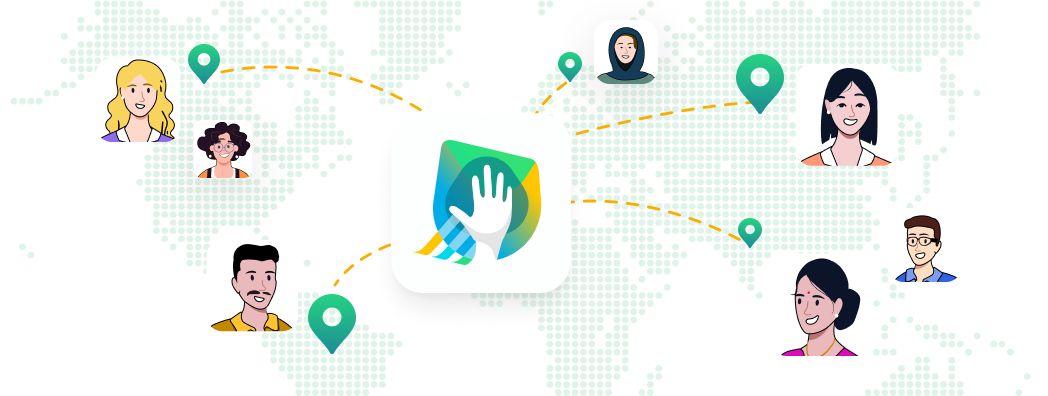
Have your whole team see what the user sees
Run tests with real users & real scenarios at any stage - prototype to launch.
Watch how users navigate your prototype, app, or site with screen & video recordings.
Uncover patterns instantly with AI-driven insights, heatmaps & behavior tracking.
Test in 15+ languages with auto-translations and transcripts. Reach users anywhere, speak their language.
Unite your team with a shared analysis space. Collaborate using tags, comments, highlight reels.
GDPR, HIPAA, SOC2, ISO 27001 – we meet the highest security standards, so your data stays protected.
“We’ve been using UXArmy for nearly two years now for both moderated and unmoderated user tests, and it has become a core tool in our UX research process. Over time, we’ve had the opportunity to observe the platform’s growth - and it’s been impressive.”
Not sure which plan to choose?
4.7/5
4.6/5
4.7/5
4.6/5
Studies
Limited only by the number of responses you can collect per your monthly pooled credits balance
Transcriptions
Storage
Test length
Recorded tests are constrained by maximum duration of recordings
Max. duration of recordings
Limits apply per response. Long recording time enables inclusive research
Full seats
Full seats can create, manage, and analyze research. Subject to plan limits.
Buy additional full seats
Easily add more full-access seats as your team scales, billed as needed
Collaborator seats
Invite team members to analyze test results together - access to test results and features like creating clips, adding annotations and insights - without requiring a full seat
Monthly allocation of pooled credits to collect responses
One shared credit pool for all research methods; credit consumption per response vary by method
Buy additional responses
Auto-billing for extra credit usage above your monthly allocation with Pay-as-you-go
Advanced usability tests for Prototypes, Websites, Mobile app (With recording)
5 credits per response
Figma usability test (No recording)
1 credit per response
Survey
(No recording)
0.01 credits per response
Card Sorting
(No recording)
0.01 credits per response
Tree Testing
(No recording)
0.01 credits per response
User Interview, Focus Group Discussions (With recordings)
10 credits per response
Collect Additional Responses
Extra $ expected will be shown to you before test launch to avoid billing surprises
Prototype testing (With recording)
For Figma prototypes with heatmaps, navigation path, click path analysis and survey questions. No videos
Prototype testing (No recording)
Full video and screen recordings of user testing on Figma or other prototypes
Test real websites and capture every click, scroll, and spoken thought
Native Mobile App testing (With recording)
Both Android & iOS phones and tablets supported
TestFlight iOS/iPhone app testing (With recording)
Validate unreleased apps on iOS and Android before launch, with full recordings
Android Playstore beta testing (With recording)
Test beta Android apps via Play Store Beta and record user behavior for insights
5 second test (with & without recording)
Add this to any test to capture users’ first impressions by showing a design for just 5 seconds
First click test with recording (with & without recording)
Evaluate user instincts by tracking the first place they click to complete a task
Preference Testing (with & without recording)
Ask participants which design they prefer, or evaluate your live product vs competitor's
Live user interviews on DeepDive® (With recording)
Conduct moderated 1:1, dyad, or triad interviews, recorded for analysis and playback
Live focus group on DeepDive® (With recording)
Run real-time group sessions with up to 10 participants to uncover shared insights
Upload interview recording to transcribe, analyze
Upload any user interview recordings to get transcriptions, AI highlights, translations
Surveys (No recording)
Include yes/no, single/multiple choice, matrix questions, open feedback, ranking, rating scale, simple input with validation, note task
Recorded Survey (With recording)
Supported in unmoderated usability testing platform. Includes speaking task with image.
Card sorting (No recording)
Understand user mental models by having them organize content into categories - open, closed, hybrid
Tree testing (No recording)
Test your navigation to see if users can find what they need with ease
Screen, Audio, Camera recording of the Full test
Available for Unmoderated usability testing tool and Moderated research on DeepDive®
Advanced usability tests for Prototypes, Websites, Mobile app (With recording)
Guide participants through customized test paths based on their responses
Figma usability test (No recording)
Available for unmoderated usability testing and surveys
Survey, Card Sorting, Tree Testing (No recording)
Easily include System Usability Scale (SUS) to benchmark your product’s usability, editable text
User Interview, Focus Group Discussions (With recordings)
Browse 30+ expert-designed templates to quickly launch usability tests and surveys
Create & save your templates
Save your tests as reusable templates to ensure consistency across projects
UXArmy AI Summary
Auto-generated summaries of user sessions to save analysis time.
UXArmy AI Sentiment analysis
Understand participant sentiment (positive, negative, neutral) across test sessions.
UXArmy AI Key takeaway & verbatims
Access timestamped quotes and takeaways to validate the AI summary.
Heatmaps
Visualize where users focus or interact most in your prototypes or websites
Path analysis
Track and understand how users move through your product to optimize flow
Navigation paths
See how users navigate through your information hierarchy for websites, prototypes
Mouse clicks
Capture and analyze all user clicks for better interaction insights
Download reports
Export test reports and data for sharing or deep analysis
Team & seat management
Control roles, access, and permissions for every member of your team
Shared workspaces
Collaborate in real-time with your team in centralized project workspaces. Editors can create multiple workspaces
Collaborative test creation
Invite teammates to help design and build research studies
Collaborative analysis
Work together on tagging, insights, and clips to make sense of the data faster
Pooled credits shared by team members
Share credits across your team, across research types. Flexibility and maximize usage.
Analysis space
A centralized hub for reviewing highlights, clips, annotations, and insights
Tagging and analysis
Label key moments in sessions for quick reference and deep dives
Video clips
Extract short clips from test videos to highlight specific behaviors
Time-stamped notes
Click any note to jump directly to that moment in the session video
Highlight reel
Compile multiple video moments into a single highlight reel to share with stakeholders
Video annotations
Add comments directly onto the video timeline for team visibility
Mention teammates
Tag colleagues in notes or annotations to loop them into specific findings
Hidden observers
Let stakeholders watch moderated sessions discreetly without interrupting
Hidden group chat
Observers can chat privately during live sessions to share insights or flag moments
Project folders in DeepDive®
Organize interviews and focus groups into structured folders for easy navigation
Note taking
Take notes during sessions and link them to the exact moment in the video
Shareable reports with password protection
Create reports that are easy to distribute while keeping sensitive data secure
Google sheets integration
Automatically send survey results to Google Sheets for easier analysis
Slack integration
Push test updates and insights directly into your team’s Slack channels
Custom screener questions
Filter participants with custom screening questions before they join your test
Unique invite URL by test
Each test gets platform generated unique url that you can share to invite your self-sourced participants
Custom URL redirection
Use Redirect URLs to track participants by adding unique identifiers to your test
1:1 user interview scheduling
Moderators can soon share time slots for participants to book 1:1 sessions directly
Nondisclosure Agreement (NDA)
Have participants sign an NDA before starting the test
Access to panel participants
You can top up Panel credits to get feedback from uxarmy's own panel of participants
Custom audience filters
Filter participants based on demographic selection then add screening questions for behavioral filters.
Custom screener questions
Filter participants with custom screening questions before they join your test
Nondisclosure Agreement (NDA)
Ensure confidentiality with NDA agreements for participants
Use panel credits to recruit real users fast. Available for all paid plans, for unmoderated usability tests, Figma usability tests & surveys.
Participant UI in local languages
Get higher-quality feedback by running tests in your participants' native language
Transcription in local languages
Get automatic transcriptions in the language the test was conducted in
Translation of transcription
Automatically translate transcriptions in 67+ languages
Video guides for participants
Available on uxarmy's youtube playlist for select languages
Interpreter channels for user interviews
Observers can choose to listen to the main audio channel or one of the interpreter channels
Interpreter channels for focus groups
Observers can choose to listen to the main audio channel or one of the interpreter channels
Email support
Chat support
Online chat support on Whatsapp, Slack, Telegram or similar applications
Priority support
Dedicated onboarding
Dedicated CS manager
Single Sign-On (SSO)
Customized Sharing Access
Share password protected report, hide certain tasks
Industry-grade compliance & data security
Depends on the type of research method(s) selected because we use Pooled Credit system.
But to give you a sense, this shows how many responses you can collect assuming you choose only 1 research methodology. With the default monthly credit provided, you can collect up to:
The online pricing does not include use of uxarmy’s user panel. For that you’ll need to purchase Panel Credits separately.
If you plan to run a Recorded Survey, you will need to use usability testing with recording.
Depends on the type of research method selected because we use Pooled Credit system.
But to give you a sense, this shows how many responses your team can collect assuming you choose only 1 research methodology. With the default monthly credit provided, your team can collect up to:
In case your study exceeded the number of credits allocated per month, pay-as-you-go applies. This means you will be able to pay for the extra credits you consumed at your next billing cycle.
*If you plan to run Recorded Survey, you will need to use usability testing with recording.
The online pricing does not include use of uxarmy’s user panel. For that you’ll need to purchase Panel Credits separately.
If you need an unlimited plan, please reach out to us via Contact Sales and specify your needs. We offer it as part of our Custom Plan.
UXArmy uses a Pooled Credit system to give teams flexibility. Instead of assigning credits to individual users, all credits are stored in a shared pool for your account. Any team member can draw from this pool to launch studies – whether it’s a usability test, user interview, or survey. Learn about types of credit and how it works here.
With Free plan, you can run Figma usability tests, surveys, card sorting, tree testing and apply conditional logic. No recordings, no access to uxarmy’s participant panel.
Starting Starter Plan, you can run Mobile app, Website, prototype usability tests with recordings, and moderated research on DeepDive®. AI features are available, and you can purchase panel credits. This is a solo plan.
Pro Plan is meant for teams or serious researchers. You get access to all tools and features in UXArmy. Great for teams that want to collaborate for test creation and analysis.
Organization/Custom Plan is a team plan that offers customization, enterprise level security, some services, and documentations often required in the procurement process of large organizations. If you need SSO,SLA, pre-implementation checklist, or a separate contract, most likely this is for you.
The online price you see is for testing with self-sourced participants. You will need to purchase Panel Credit separately to launch tests to UXArmy’s participant panel.
Yes, if you are on a paid plan. Only paid plan users can access mobile app testing, website testing, usability tests with recordings, user interview and focus group discussions.
Currently, we accept credit card payments for Starter, Pro plans. We can accommodate payment by bank/wire transfers at additional charge for annual plans.
Organization plans can use credit card or bank transfers.
You can either utilize pay-as-you-go, which means any excess credit used will be billed in your next payment cycle, OR launch a test with a smaller sample size this month, collect responses until your next payment cycle’s credit kicks in, then increase the sample size. Increasing the sample size for live or closed tests is only supported for usability tests and surveys.
Depends on the type of research method(s) selected because we use Pooled Credit system.
But to give you a sense, this shows how many responses you can collect assuming you choose only 1 research methodology. With the default monthly credit provided, you can collect up to:
The online pricing does not include use of uxarmy’s user panel. For that you’ll need to purchase Panel Credits separately.
If you plan to run a Recorded Survey, you will need to use usability testing with recording.
Depends on the type of research method selected because we use Pooled Credit system.
But to give you a sense, this shows how many responses your team can collect assuming you choose only 1 research methodology. With the default monthly credit provided, your team can collect up to:
In case your study exceeded the number of credits allocated per month, pay-as-you-go applies. This means you will be able to pay for the extra credits you consumed at your next billing cycle.
If you plan to run Recorded Survey, you will need to use usability testing with recording.
The online pricing does not include use of uxarmy’s user panel. For that you’ll need to purchase Panel Credits separately.
If you need an unlimited plan, please reach out to us via Contact Sales and specify your needs. We offer it as part of our Custom Plan.
UXArmy uses a Pooled Credit system to give teams flexibility. Instead of assigning credits to individual users, all credits are stored in a shared pool for your account. Any team member can draw from this pool to launch studies – whether it’s a usability test, user interview, or survey. Learn about types of credit and how it works here.
Free plan is designed to give you a chance to try out all aspects of the platform as a solo researcher with self-sourced participants. You cannot collect responses beyond the monthly allocation.
Starter plan comes with bigger credits, and lets you buy credits to collect response beyond your monthly allocation to suit whatever your target sample size is.
Pro Plan has team features – roles & permissions, collaborative test creation and analysis.
Organization/Custom Plan is a team plan that offers customization, enterprise level security, some services, and documentations often required in the procurement process of large organizations. If you need SSO,SLA, pre-implementation checklist, or a separate contract, most likely this is for you.
All online price you see is for testing with self-sourced participants. You will need to purchase Panel Credit separately to launch tests to UXArmy’s participant panel.
Yes, if you are on a paid plan. Only paid plan users can access mobile app testing, website testing, usability tests with recordings, user interview and focus group discussions.
Currently, we accept credit card payments for Starter, Pro plans. We can accommodate payment by bank/wire transfers at additional charge for annual plans.
Organization plans can use credit card or bank transfers.
Starter and Pro plan users can collect as many more responses as you want with Pay-as-you-go. To avoid billing surprises, the platform will alert you when your sample size exceeds your monthly allocation, how much the extra charge will be in USD, and seek your permission to proceed.
Whether it’s participant recruitment, test setup, insight analysis or end to analysis, we step in wherever you need us.
All company, product, and service names used in this website are for identification purposes only. All trademarks, logos, and brands are the property of their respective owners.
Fill in some details to start the conversation
We and our partners use cookies and similar technologies to improve your experience, analyze site traffic, and deliver personalized content. Non-essential cookies are only set after you give consent. You can change your preferences at any time.
Cookie PolicyWe and our partners use cookies and similar tracking technologies on this site. Strictly Necessary cookies are always active. For all other categories we require your explicit consent before any cookies are set. You may withdraw or change your consent at any time via "Manage Cookies" in the footer. See our Cookie Policy for full details.
Essential for the website to function — session authentication, security tokens, load balancing, and user preference storage. Cannot be disabled. No personally identifiable information is collected.
Enable enhanced functionality such as HubSpot contact forms, embedded video players, live chat widgets, and language preferences. May be set by us or by integrated third-party providers.
Google Analytics 4 via GTM measures pageviews, session duration, traffic sources, and user journeys. All data is aggregated and pseudonymised — no individual is identifiable.
Advertising tags via GTM (Google Ads remarketing) deliver relevant ads and measure campaign effectiveness. Partners may combine this with data from other services.
California residents: you have the right to opt out of the sale or sharing of your personal information. Do Not Sell or Share My Personal Information .